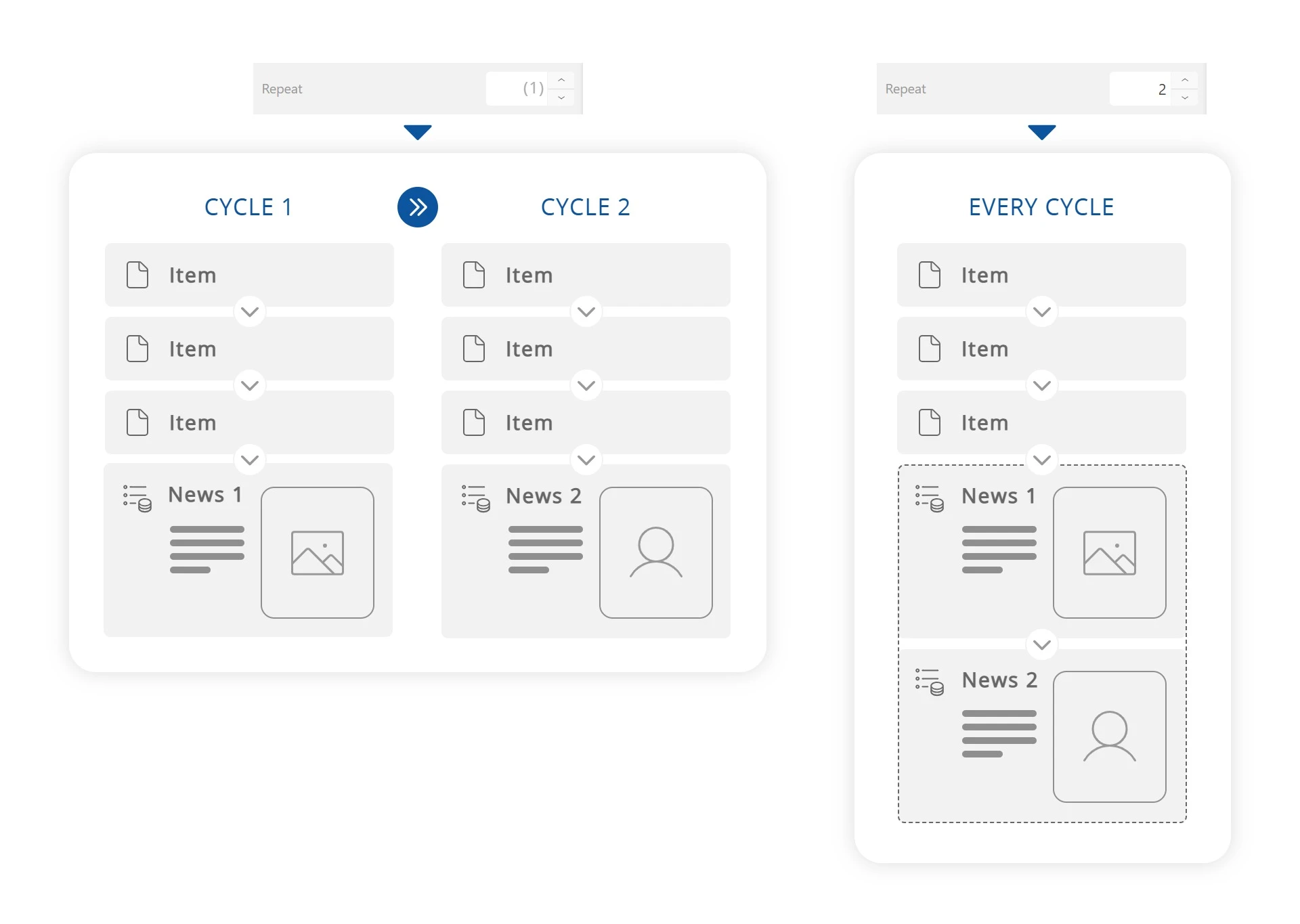

Element display frequency
Display cycles
A cycle ends when all elements in the playlist have been displayed: cycles follow one another automatically, in list order (or randomly if that option is enabled).
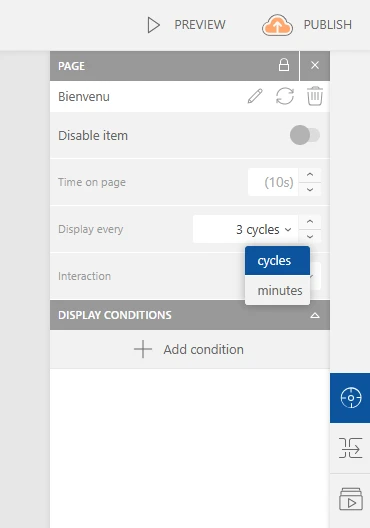
The display frequency of an element lets you choose whether it appears every cycle, or only occasionally (every X cycles, every X minutes…). To change this setting, select an element and click the "Frequency" option field in the first panel on the right side of the interface. Choose the cycle frequency or the duration before the element appears.
Example
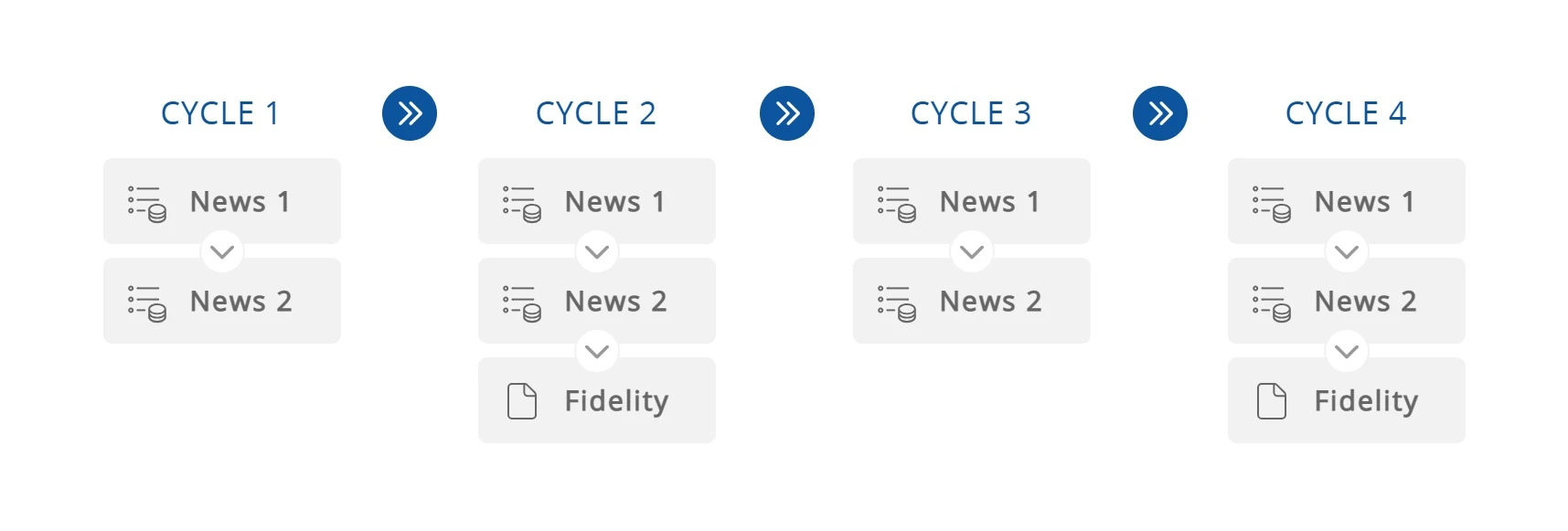
At the entrance of my shopping mall, a screen plays a playlist of the latest news. I want to add a promotional page about the loyalty card, but I want it to appear only occasionally so the news takes priority.
Once I insert my loyalty page into my playlist, I set its display frequency to every two cycles: the sequence will be news 1, news 2, news 1, news 2, promo, then news 1, news 2 again…
Repetitions
Elements connected to external data, such as news feeds, can have a rotating display and change content on each occurrence. The repetition option allows you to chain several consecutive displays — with different content — from a single element.
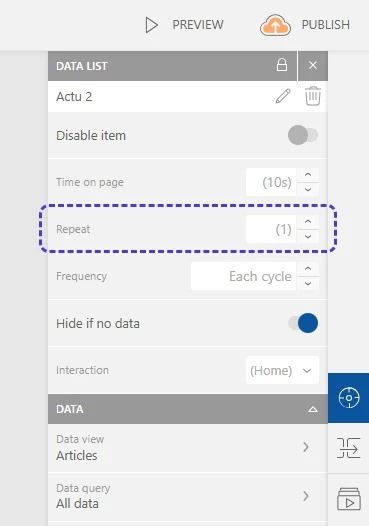
To enable this setting, select an element and click the "Repetition" option field in the first panel on the right side of the interface. Choose the number of consecutive repetitions of this element within a single cycle.
Example
My welcome screen plays a playlist of the latest news. I want to add the weekly news summary, but I don't want to display all items on a single page for readability reasons.
In my playlist, I add a news element with "Alternating display": I choose to show six items at a time, meaning the first six items will appear in the first cycle, then the last six in the second cycle. I don't want to split the summary across two cycles, so I enable repetition on this element. This single element will therefore appear twice in a row — first with the first six items, then with the last six — before the playlist continues its cycle.