

Interactions
Navigation
Create a Navigation type interaction in a few clicks.
Apply an Interaction
To add navigation to an element, select it then click on the "Element interactions" button (touch icon) in the right sidebar of the interface. Choose the "Navigation" interaction.
To add navigation to the page, click on the "Page interactions" button (touch/page icon) in the right sidebar of the interface. Choose the "Navigation" interaction.
To learn more about interactions, go to the dedicated article.
Navigation Options
The "Navigate to" tab allows you to choose the destination page.
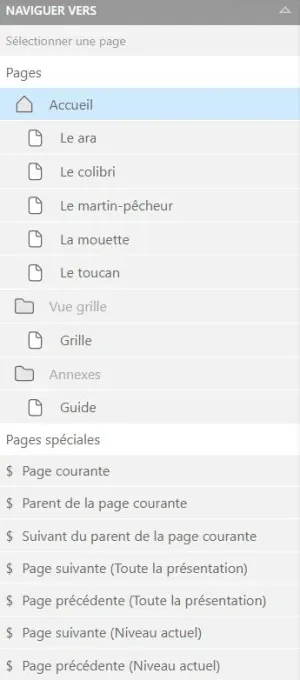
- Pages: target a page from the tree structure
- Special pages: target a level or section of your tree structure. For example, this option can be useful if you want to create "Next page" and "Previous page" buttons.